Part 2: What a Workflow Automation Platform Actually Is.
The term workflow automation has been used a lot in recent years, often mentioned in the same breath as AI, integration, or digitalization. What rarely happens: someone simply explains what such a platform actually is and what it is made of. That is exactly what we will do in this article. If you have read the first part of this series, you already know the problem of manual data work in sales. Here we explain which tool you can use to replace that work.
A workflow is a process that connects multiple systems.
At its core, a workflow is nothing more than a work process. Something happens, several steps are carried out, and a result is produced at the end. People do this every day without thinking about it. An email comes in, you look up the sender in the CRM, you create an appointment, you write a reply. That is a workflow, just a manual one.
A workflow automation platform takes over this sequence. It waits for an event, executes the defined steps, and connects different systems in the process. CRM, e-mail in box, Excel File, Web form, external data sources. What a person previously had to piece together manually now runs automatically, as long as the workflow has been set up correctly once.
The key advantage is that a familiar process becomes not only faster but also more reliable. Workflows follow guardrails. They do the same thing every time, in the same order, with the same care. Forgotten steps, overlooked fields, or tired Friday afternoon mistakes disappear. At the same time, you can insert flexible building blocks at precisely defined points, for example AI-supported nodes that analyze texts or interpret data. Strict logic where it is needed, intelligence where it helps.
The building blocks of a workflow.
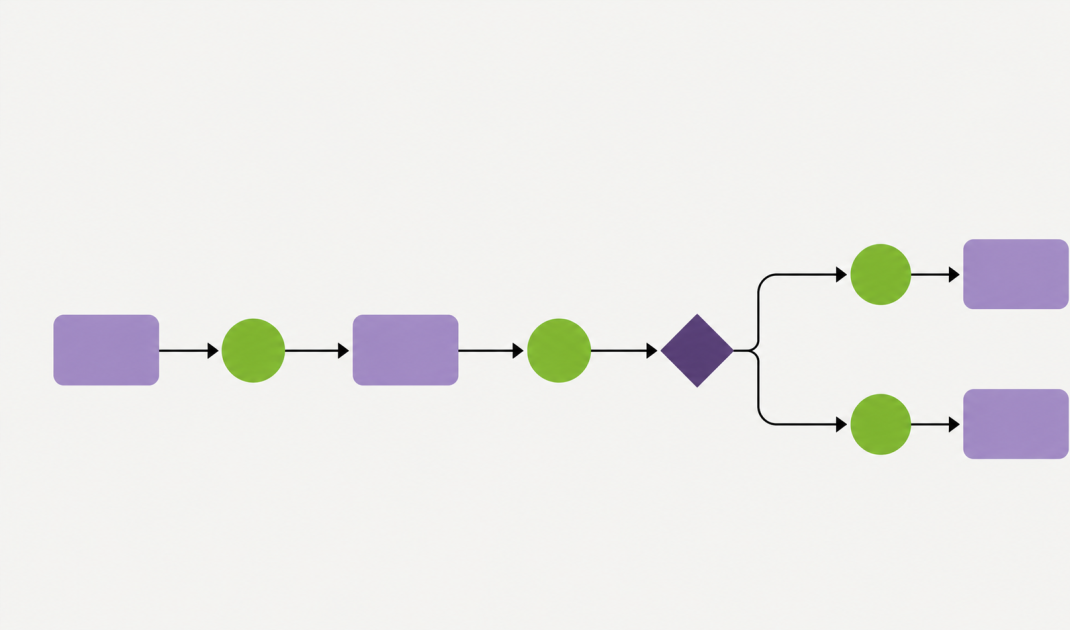
Every workflow consists of several building blocks, which are called nodes in DataAgents. Four types appear in almost every workflow.
The trigger
The trigger is the spark, the starting event of a workflow. Without a trigger, nothing happens. Typical triggers in a sales context include an uploaded Excel File, an incoming email in a connected P.O. box, a new entry from a Web form, or a lead just captured at a trade show with VisitReport. Some triggers are manual, such as when someone deliberately uploads a File, while others are event-based and react automatically.
Actions
Actions are the actual work steps. Standardizing data, enriching company information, validating email addresses, updating a record in the CRM. An action does something with the data flowing through the workflow. You can chain several actions together so that at the end you get an enriched, validated, and cleanly stored record that previously was just a raw row in an Excel File.
Decisions
At many points, a workflow has to choose a path. Does this contact already exist in the CRM? If yes, we update the existing data. If no, we create a new one. Decisions ensure that a workflow does not blindly execute every step, but reacts to the specific case. That is the difference between a simple script and a real process.
Notifications
Workflows run in the background, but at certain points people should be informed. The responsible salesperson receives a Slack message about a new trade show contact, the data steward receives a summary of the list processed overnight. Notifications create transparency and bring people into the loop exactly when they are needed.
When people should stay involved: human-in-the-loop.
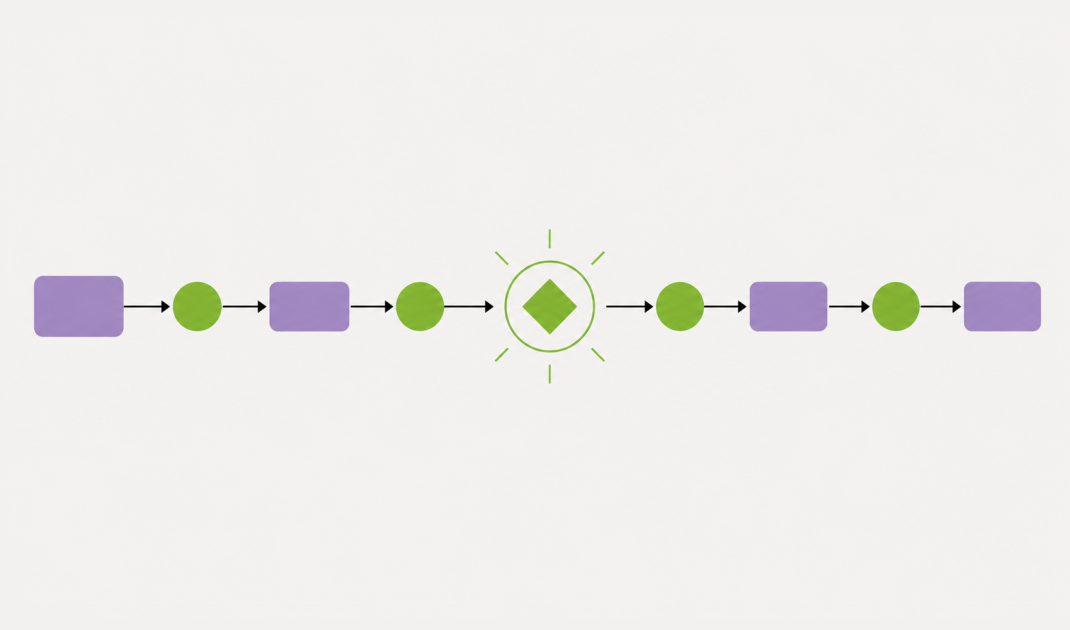
One important concept that is often misunderstood: automation does not mean that people disappear from the process. On the contrary. Wherever human judgment is needed, it is deliberately built in. This is called human-in-the-loop.
An example: An email with contact information in the Signature arrives. The workflow recognizes the data and checks whether the contact already exists in the CRM. If not, the system does not blindly create a new record. Instead, an employee receives a short notification with the extracted information and decides with a single click: create or discard. Humans retain control over data quality without having to do the manual data entry themselves.
A workflow platform is not the same as an integration.
It is worth clearly distinguishing between two terms. An integration connects two systems with each other. When your CRM communicates with your email marketing tool, that is an integration. Data flows from A to B, and that is it.
A workflow platform goes much further. It does not just connect two points, it orchestrates an entire process. Multiple systems, multiple steps, decisions, branches, human-machine interaction. A workflow platform is the layer on top of integrations that turns individual connections into a meaningful business process.
This difference explains why workflow platforms have become so important in recent years. Individual integrations solve isolated problems. Workflows replace entire sequences of work. And that is the scale that really makes a difference in sales.
Two practical examples of how this looks in reality.
Example 1: Cleanly importing an Excel list into your CRM
You have purchased a list of 800 contacts, in the usual Excel format with mixed data quality. Manually, this would tie up an entire working day. As a workflow, it runs like this: The File is uploaded (trigger), the contained data is standardized (action), company data is enriched via reliable sources (action), email addresses are validated and enriched (action), and for each contact the system decides whether to create a new record or update an existing one (decision). The raw list is transformed into a clean CRM dataset without anyone having to touch each row individually.
Example 2: Processing a trade show contact in the same moment
At a trade show, you have a conversation and capture the contact with VisitReport (trigger). Immediately, the company data is enriched (action), a duplicate check is performed (decision), the responsible salesperson is informed (notification), and a personalized follow-up email is sent (action). The lead lands cleanly in the CRM before the person you just spoke with has even reached the next booth. Once you have seen this in action, you will not want to go back to piles of business cards on your desk.
Why DataAgents is different at this point.
There are plenty of workflow platforms on the market, and many of them are generic solutions built for any kind of use case. DataAgents has a clear focus on sales, and you notice that in two crucial ways.
First, the platform comes with typical sales workflows out of the box. You do not have to stare at an empty canvas and figure out what a lead enrichment process might look like. You take an existing workflow as a template and adapt it to your requirements. That dramatically lowers the barrier to getting started.
Second, our own sales products are directly embedded as data sources. A trade show contact captured with VisitReport triggers a workflow. A business card scanned via BusinessCards ends up as a clean record in your CRM. Enrichments via LeadResearch are available without detours. This level of integration into the sales ecosystem is something purely generic platforms do not offer.
In the third part of this series, we will get concrete. We will show five sales workflows that every B2B company should automate and explain, step by step, how to set each of them up in practice.
Next part: Five sales workflows every B2B company should automate.